Knowing exactly how many hours you worked, billed, or scheduled is basic, and it’s surprisingly important. Payroll depends on it, invoices are built from it, projects are estimated with it, and productivity is measured by it. A small 15-minute mistake repeated every payday adds up to lost money or awkward disputes.
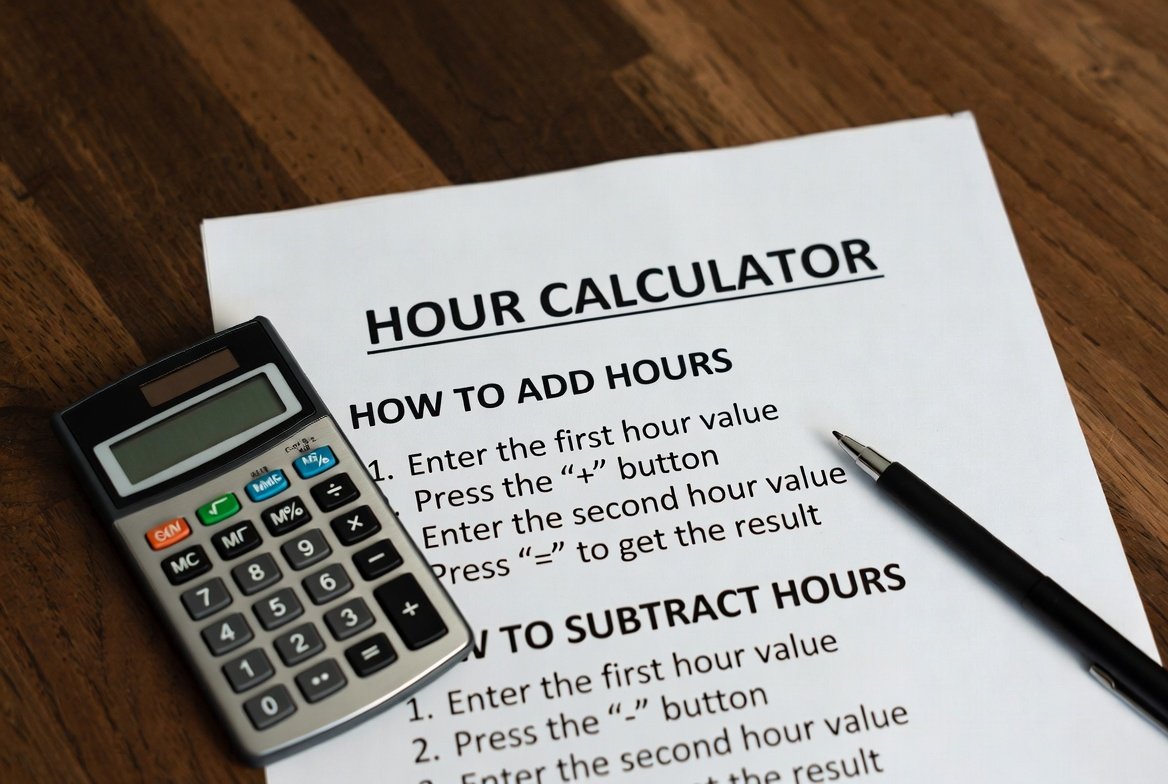
An hour calculator (also written hours calculator) removes the guesswork. Instead of wrestling with AM/PM confusion or adding several clock entries by hand, you enter start and end times (and breaks) and get an instant, precise total in hours and minutes or in decimal hours for payroll and billing. Below you’ll learn what an hour calculator does, why accuracy matters, how to add and subtract hours correctly, and work examples so you can verify any result by hand, or decide when it’s safer to let a calculator do the math.
II. What Is an Hour Calculator?
An hour calculator is a simple tool that computes the duration between two or more clock times and returns the total as hours, minutes, and/or decimal hours. Instead of estimating “about eight hours,” it answers precisely how many hours elapsed between a start time and an end time, handles multiple intervals, and applies rounding rules if required.
How it helps:
- Converts times like 9:15 AM and 5:45 PM into minutes, subtracts, then converts back into clean hours and minutes or a decimal (e.g., 8.5 hours).
- Sums split shifts or separate billable sessions (morning + afternoon + overtime).
- Handles overnight spans where the end time is on the next day.
- Applies company rounding rules (nearest 5/10/15 minutes) and exports totals for payroll.
Common users:
- Employees & payroll admins who must calculate pay accurately.
- Freelancers & contractors who bill by the hour and need precise invoices.
- Managers & schedulers planning shifts and labor costs.
- Students & event organizers tracking study sessions or event durations.
Why Accurate Hour Calculation Matters
Accuracy in timekeeping matters for four practical reasons:
- Payroll compliance & wage accuracy: Payroll errors, even small ones, compound over time. Underpayments can lead to legal claims, while overpayments can hurt budgets.
- Fair billing for freelancers & contractors: Clients expect transparent, defensible timesheets. Precise hour totals prevent disputes and preserve trust.
- Correct overtime calculation: Labor rules hinge on thresholds (commonly 40 hours/week). Miscounting minutes can change an employee’s overtime eligibility.
- Time budgeting & productivity. Project planning relies on accurate historical data. If your baseline hours are incorrect, future estimates will also be inaccurate.
Real-world cost: A 15-minute error on a $30/hour invoice is $7.50 per entry, multiplied by dozens of entries a month, and that becomes meaningful. Good timekeeping practices and using an hour calculator protect both payers and workers from small mistakes that turn into big problems.
How to Add Hours Correctly (With Examples)
Step-by-step method
Two reliable approaches are to convert everything into minutes, add, and then convert back, or to convert to decimal hours and add. The minutes method is less error-prone.
Method (minutes):
- Convert each time block to total minutes (hours × 60 + minutes).
- Add all minutes.
- Convert total minutes back to hours and minutes: hours = floor(total_minutes / 60); minutes = total_minutes mod 60.
- Optionally convert to decimal hours: decimal = hours + minutes/60 (round as needed).
Avoid AM/PM confusion by using 24-hour time (e.g., 17:45 instead of 5:45 PM) or including the date for multi-day entries.
Example 1: Adding same-day time blocks
Add 3:15 and 4:45.
Step-by-step in minutes:
- 3:15 = 3×60+15=180+15=1953\times60 + 15 = 180 + 15 = 1953×60+15=180+15=195 minutes.
- 4:45 = 4×60+45=240+45=2854\times60 + 45 = 240 + 45 = 2854×60+45=240+45=285 minutes.
- Sum: 195+285=480195 + 285 = 480195+285=480 minutes.
- Convert: 480÷60=8480 \div 60 = 8480÷60=8 hours, remainder 000 minutes → 8 hours.
So 3:15 + 4:45 = 8 hours.
Example 2: Adding multiple work sessions
Add 1:30, 2:45, and 3:10.
Convert to minutes:
- 1:30 = 1×60+30=60+30=901\times60 + 30 = 60 + 30 = 901×60+30=60+30=90 minutes.
- 2:45 = 2×60+45=120+45=1652\times60 + 45 = 120 + 45 = 1652×60+45=120+45=165 minutes.
- 3:10 = 3×60+10=180+10=1903\times60 + 10 = 180 + 10 = 1903×60+10=180+10=190 minutes.
- Sum minutes: 90+165+190=44590 + 165 + 190 = 44590+165+190=445 minutes.
- Convert: 445÷60=7445 \div 60 = 7445÷60=7 hours with remainder 445−7×60=445−420=25445 – 7\times60 = 445 – 420 = 25445−7×60=445−420=25 minutes → 7 hours 25 minutes.
Decimal conversion: 7+25/60=7+0.416666…≈7.427 + 25/60 = 7 + 0.416666\ldots \approx 7.427+25/60=7+0.416666…≈7.42 hours (round as policy requires).
Why use an hours calculator?
- Auto-conversion from HH: MM to minutes and back.
- Instant decimal output for payroll.
- Reduces human error, especially when dealing with numerous entries or complex rounding rules.
How to Subtract Hours (With Examples)
The basic formula
Total hours=End time−Start time\text{Total hours} = \text{End time} – \text{Start time}Total hours=End time−Start time
When the end time is earlier than the start time, treat the end as the next day or include the date.
Example 1: Same-day subtraction
Start 9:20 AM, End 4:50 PM (which is 16:50 in 24-hour time).
Convert to minutes:
- Start = 9×60+20=540+20=5609\times60 + 20 = 540 + 20 = 5609×60+20=540+20=560 minutes.
- End = 16×60+50=960+50=1,01016\times60 + 50 = 960 + 50 = 1{,}01016×60+50=960+50=1,010 minutes.
- Difference = 1,010−560=4501{,}010 – 560 = 4501,010−560=450 minutes.
- Convert: 450÷60=7450 \div 60 = 7450÷60=7 hours with remainder 450−7×60=450−420=30450 – 7\times60 = 450 – 420 = 30450−7×60=450−420=30 minutes → 7 hours 30 minutes (7.5 hours).
Example 2: Overnight or next-day hours
Start 10:00 PM (22:00), End 6:00 AM the next day.
Two options, add 24 hours or use minutes with a next-day offset:
Hour method: treat end as 6+24=306 + 24 = 306+24=30 hours; 30−22=830 – 22 = 830−22=8 hours → 8 hours.
Minutes method:
- Start = 22×60=1,32022\times60 = 1{,}32022×60=1,320 minutes.
- End next day = 6×60+24×60=360+1,440=1,8006\times60 + 24\times60 = 360 + 1{,}440 = 1{,}8006×60+24×60=360+1,440=1,800 minutes.
Difference = 1,800−1,320=4801{,}800 – 1{,}320 = 4801,800−1,320=480 minutes → 480/60=8480/60 = 8480/60=8 hours.
Either way, the result is 8 hours.
Example 3: With break deductions
8-hour shift with a 30-minute unpaid lunch:
- Shift total = 8 hours.
- Unpaid break = 0.5 hours (30 minutes).
- Net paid time = 8−0.5=7.58 = 0.5 = 7.58−0.5=7.5 hours → 7 hours 30 minutes.
Common pitfalls to avoid
- Misreading AM/PM: Always confirm or use 24-hour time.
- Incorrect minute conversions: Remember 60 minutes = 1 hour, not 100.
- Inconsistent rounding: Determine a consistent rounding policy (e.g., nearest 5, 10, or 15 minutes) and apply it uniformly.
How Many Hours Between Two Times? (Reference Table + Quick Formula)
Quick reference, common ranges, and what they equal when you calculate hours:
- 9:00 AM → 5:00 PM = 8 hours
- 7:00 AM → 3:00 PM = 8 hours
- 11:00 PM → 7:00 AM (overnight) = 8 hours
- 8:30 AM → 5:00 PM = 8 hours 30 minutes (8.5 hours)
- 10:15 AM → 2:45 PM = 4 hours 30 minutes (4.5 hours)
Quick mental-math formula (works for same-day spans):
- Convert both times to hours and minutes.
- Subtract the start minutes from the end minutes; if the result is negative, borrow 1 hour (i.e., add 60 minutes).
- Subtract hours, adjusting for any borrowed time.
Example: 8:30 → 17:00: Minutes: 00 − 30 → borrow 1 hour → 60 − 30 = 30 minutes. Hours: 16 − 8 = 8 → 8 hours 30 minutes.
If the end time is earlier than the start time, treat the end as the next day (overnight shift) or include the date. When you need to calculate hours between two times repeatedly or for multiple intervals, an hours calculator is faster and avoids human errors, especially for payroll, billing, or overtime calculations.
Tracking Hours: Best Practices for Accuracy
Accurate tracking is a process + tool. Follow these best practices to maintain clean and defensible timesheets.
Use consistent time formats.
Choose either the 12-hour (AM/PM) or 24-hour format and use it consistently. 24-hour time (e.g., 17:00) eliminates AM/PM ambiguity and is especially helpful for overnight shifts.
Record breaks properly
Know whether breaks are paid or unpaid and record them as separate entries. Subtract unpaid break time from total worked hours before converting to decimals.
Log time immediately
Record start/end times as they occur (phone app, paper card, or quick note). Delayed entries increase the risk of forgotten or estimated times.
Use digital timesheets or an hour calculator
Digital tools give you an audit trail, automatic conversions, rounding rules, and CSV export for payroll. An hour calculator reduces arithmetic mistakes and supports multiple intervals.
Track multiple work intervals cleanly
When you have split shifts, record each interval separately (morning, afternoon, overtime) and sum them. An hours calculator will aggregate them reliably and convert the total to decimal hours for payroll or invoicing.
Following these practices prevents disputes, simplifies payroll, and produces cleaner historical data for estimating project timelines.
Conclusion
Accurately tracking the hours you work ensures fair pay, clean invoices, and reliable project estimates. Whether you’re adding multiple sessions or handling overnight shifts, using consistent formats and sound math is essential. An online hour calculator eliminates manual errors, instantly converts minutes to decimal hours, and aggregates split intervals with ease, saving time each week and reducing disputes. Stop guessing and start calculating: use a reliable hours calculator to get precise totals and keep your payroll and billing accurate.
Frequently Asked Questions
How do I calculate hours worked?
Subtract the start time from the end time, account for unpaid breaks, and convert minutes to decimal hours if needed (minutes ÷ 60). For multiple intervals, sum each interval’s duration. For repeat use, an hours calculator automates these steps.
How many hours is 8:30 AM to 5 PM?
8:30 AM → 5:00 PM is 8 hours 30 minutes, which equals 8.5 hours in decimal form.
How do I calculate hours across midnight?
If the end time is earlier than the start, treat the end as the next day. Example: 10:00 PM → 6:00 AM = 8 hours. Alternatively, include calendar dates to avoid ambiguity.
How do I convert minutes to decimal hours?
Divide minutes by 60. Examples: 15 minutes = 15 ÷ 60 = 0.25 hours; 30 minutes = 0.5 hours; 45 minutes = 0.75 hours.
Why is my employer using decimal hours?
Payroll systems and invoices commonly use decimal hours to simplify multiplication by hourly rates. Decimal hours avoid columnar minute math and feed directly into payroll calculations.
Is an hour calculator reliable for payroll?
Yes, when used correctly with consistent rounding rules and verified inputs. It removes arithmetic errors and produces exportable, auditable totals; always confirm that the tool’s rounding aligns with company policy.